Zapier and Make are great, but they can become expensive. Pipedream is a powerful alternative that offers a generous free tier (10,000 monthly invocations), supports code (Node.js, Python), and integrates with thousands of APIs. In this tutorial, you'll learn the basics of building low‑code automations with Pipedream.
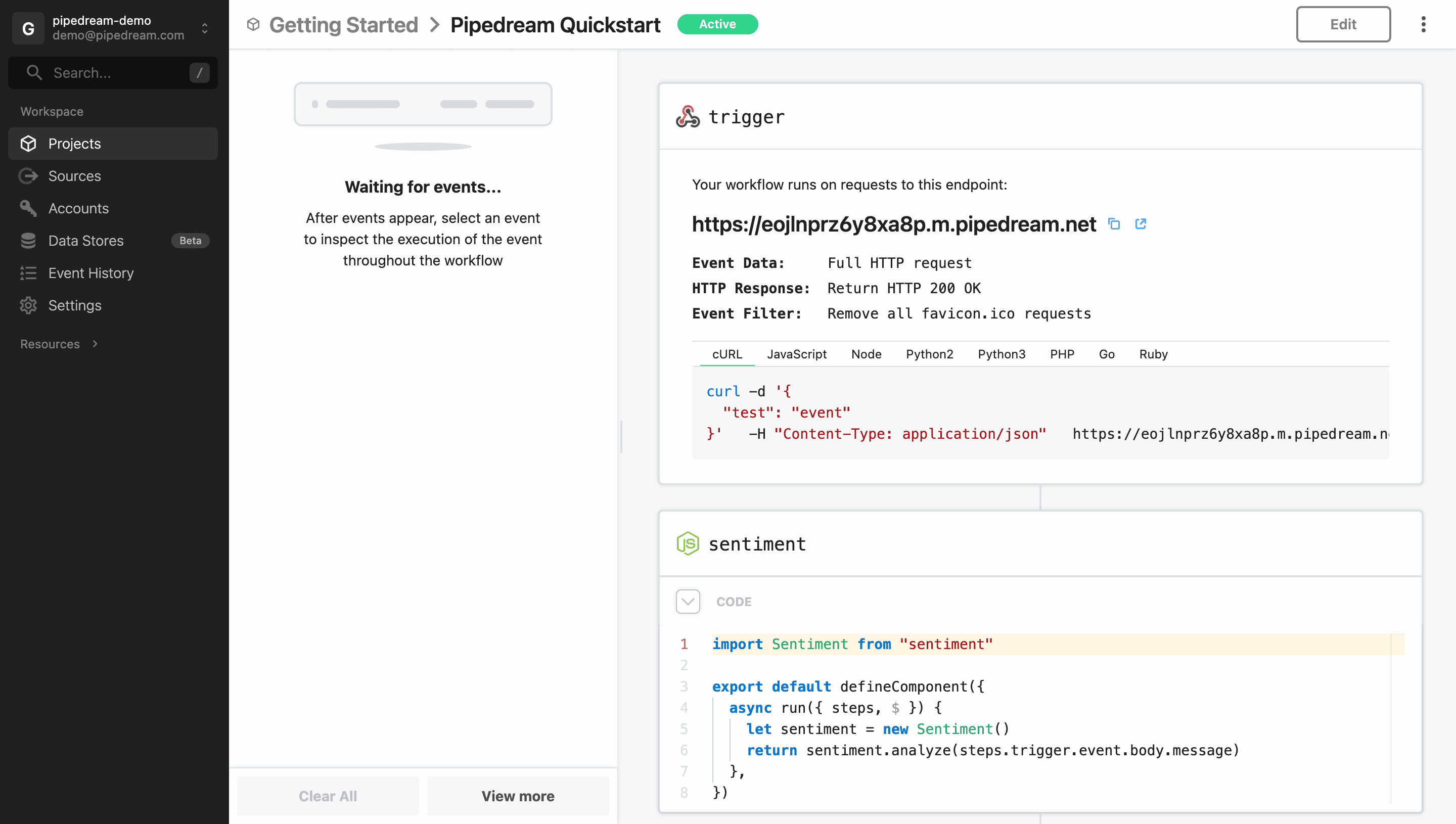
What Makes Pipedream Special?
- Generous free tier – 10,000 invocations/month, 3 active workflows.
- Built‑in code steps – Write Node.js or Python directly in the workflow.
- HTTP triggers – Create webhooks easily.
- 1,400+ pre‑built apps – Slack, Google Sheets, GitHub, Twitter, etc.
- Open‑source – You can self‑host Pipedream for unlimited usage.
Getting Started (Step‑by‑Step)
- Sign up for a free Pipedream account at pipedream.com.
- Click "New Workflow".
- Choose a trigger: e.g., "HTTP / Webhook" or "Schedule" or "App – New row in Google Sheets".
- Add a step: search for an app (e.g., Slack – "Send message") or use "Code" for custom logic.
- Connect your accounts (Google, Slack, etc.) when prompted.
- Test your workflow with sample data.
- Deploy – your workflow runs in the cloud, 24/7.
Real‑World Example for Freelancers
Scenario: You have a Google Form where clients submit project requests. You want to receive a formatted Slack message and also log the data to Airtable.
Solution with Pipedream:
- Trigger: Google Sheets – "New row" (link your form response sheet).
- Action: Slack – "Send message" with a formatted text using data from the new row.
- Action: Airtable – "Create record" (map fields to your Airtable base).
All steps are low‑code (you can also add a code step to manipulate data, e.g., extract an email domain).
Pipedream vs Zapier vs Make
| Feature | Pipedream | Zapier | Make |
|---|---|---|---|
| Free tier | 10,000 invocations/month | 100 tasks/month | 1,000 operations/month |
| Code steps | ✅ Node.js, Python | ❌ (only code by Zapier, limited) | ❌ (no built‑in code) |
| Self‑hosted option | ✅ Yes (open source) | ❌ No | ❌ No |
| Apps/integrations | 1,400+ | 5,000+ | 1,500+ |
| Learning curve | Low to moderate | Very low | Moderate |
Tips for Freelancers
- Use webhooks – You can trigger workflows from any app via HTTP request.
- Combine no‑code with code – Use pre‑built actions for 80% of the work, then add a code step for custom logic.
- Monitor logs – Pipedream keeps detailed logs of every execution, making debugging easy.
- Export as code – You can export workflows as JSON or even as a self‑hosted Node.js app.
Pricing
- Free plan – 10,000 invocations/month, 3 active workflows, 3 users.
- Paid plans – Start at $19/month for 20,000 invocations, unlimited workflows, priority support.
For most freelancers, the free plan is more than enough. If you exceed the limits, you can self‑host Pipedream for unlimited usage (requires a server).
Conclusion – A Hidden Gem for Automation
Pipedream combines the ease of no‑code with the power of code. It's perfect for freelancers who want to automate without breaking the bank. Start with a simple workflow, and you'll quickly see its potential.
Get started for free: Try Pipedream →