You don't need expensive automation tools for every task. If you already use Gmail, Google Sheets, or Google Calendar, you can automate them for free using Google Apps Script – a JavaScript‑based platform built into Google Workspace.
In this guide, I'll show you practical scripts that save you hours, from auto‑labeling emails to sending invoice reminders. No server, no subscription – just your Google account.
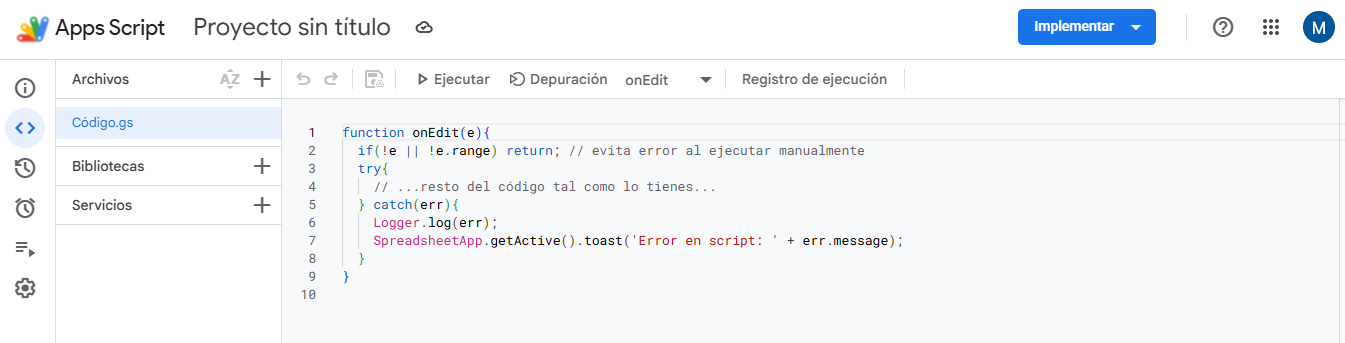
What is Google Apps Script?
Apps Script is a cloud‑based scripting language that lets you extend Google Workspace apps. You can create custom functions, macros, add‑ons, and automations – all without installing anything.
Why Freelancers Love It
- 100% free – Included with any Google account.
- Native integrations – Gmail, Drive, Sheets, Calendar, Docs, Forms, and more.
- No hosting – Scripts run on Google's servers.
- Triggers – Run scripts on a schedule, on open, or on form submission.
- APIs – Connect to external services (Stripe, Slack, etc.) via UrlFetchApp.
Practical Scripts for Freelancers
| Use case | What it does | Trigger |
|---|---|---|
| Auto‑label invoices | Auto‑add label "Invoice" to emails containing "invoice" in subject or body | Time‑driven (every hour) |
| Save email attachments to Drive | When you receive an email with PDF attachment, save it to a specific Drive folder | Inbox trigger (on email arrival) |
| Send payment reminders from Sheets | Check a column "Due date" and send email if unpaid beyond due date | Time‑driven (daily) |
| Create Google Doc from a template | Copy a template Doc, replace placeholders with data from a Sheet, and email the link | Form submission or menu |
| Sync tasks to Google Calendar | Read tasks from a Sheet and create/update calendar events | On edit or time‑driven |
Getting Started (3 steps)
- Go to script.google.com and create a new project.
- Write your script (or copy examples from below).
- Set a trigger (Edit → Current project's triggers) and authorize permissions.
Ready‑to‑Use Code Examples
1. Auto‑label emails with "Invoice"
function labelInvoices() {
  var label = GmailApp.getUserLabelByName("Invoices");
  if (!label) label = GmailApp.createLabel("Invoices");
  var threads = GmailApp.search("subject:invoice OR 'invoice'");
  for (var i = 0; i < threads.length; i++) {
    threads[i].addLabel(label);
  }
}
2. Save email attachments to Google Drive
function saveAttachmentsToDrive() {
  var folder = DriveApp.getFolderById("YOUR_FOLDER_ID");
  var threads = GmailApp.search("has:attachment");
  var messages = threads[0].getMessages();
  for (var msg of messages) {
    var attachments = msg.getAttachments();
    for (var att of attachments) {
      folder.createFile(att);
    }
  }
}
3. Send payment reminders from Google Sheets
function sendReminders() {
  var sheet = SpreadsheetApp.getActiveSheet();
  var data = sheet.getDataRange().getValues();
  for (var i = 1; i < data.length; i++) {
    var email = data[i][1];
    var dueDate = new Date(data[i][2]);
    var today = new Date();
    if (dueDate < today && data[i][3] !== "Sent") {
      GmailApp.sendEmail(email, "Payment Reminder", "Your invoice is due.");
      sheet.getRange(i+1, 4).setValue("Sent");
    }
  }
}
Advanced Tips
- Use triggers – Time‑driven (every minute/hour/day) or event‑driven (on form submit).
- Store API keys – Use Script Properties to keep secrets safe.
- Deploy as web app – Create a simple REST API for external services.
- HTML output – Build dashboards or forms with HTML service.
Conclusion – Start Automating with Zero Cost
Google Apps Script is an underrated superpower for freelancers. Spend an afternoon learning the basics, and you'll save hours every week. The examples above are just the beginning – you can connect to external APIs, build add‑ons, and even monetize your scripts.
Get started for free: Open Google Apps Script →