You have client data in Airtable. Now you need to share it with clients – but you don't want them to see your whole base. Softr lets you turn Airtable into a password‑protected client portal, a directory, or a simple internal tool – without any coding.
What is Softr?
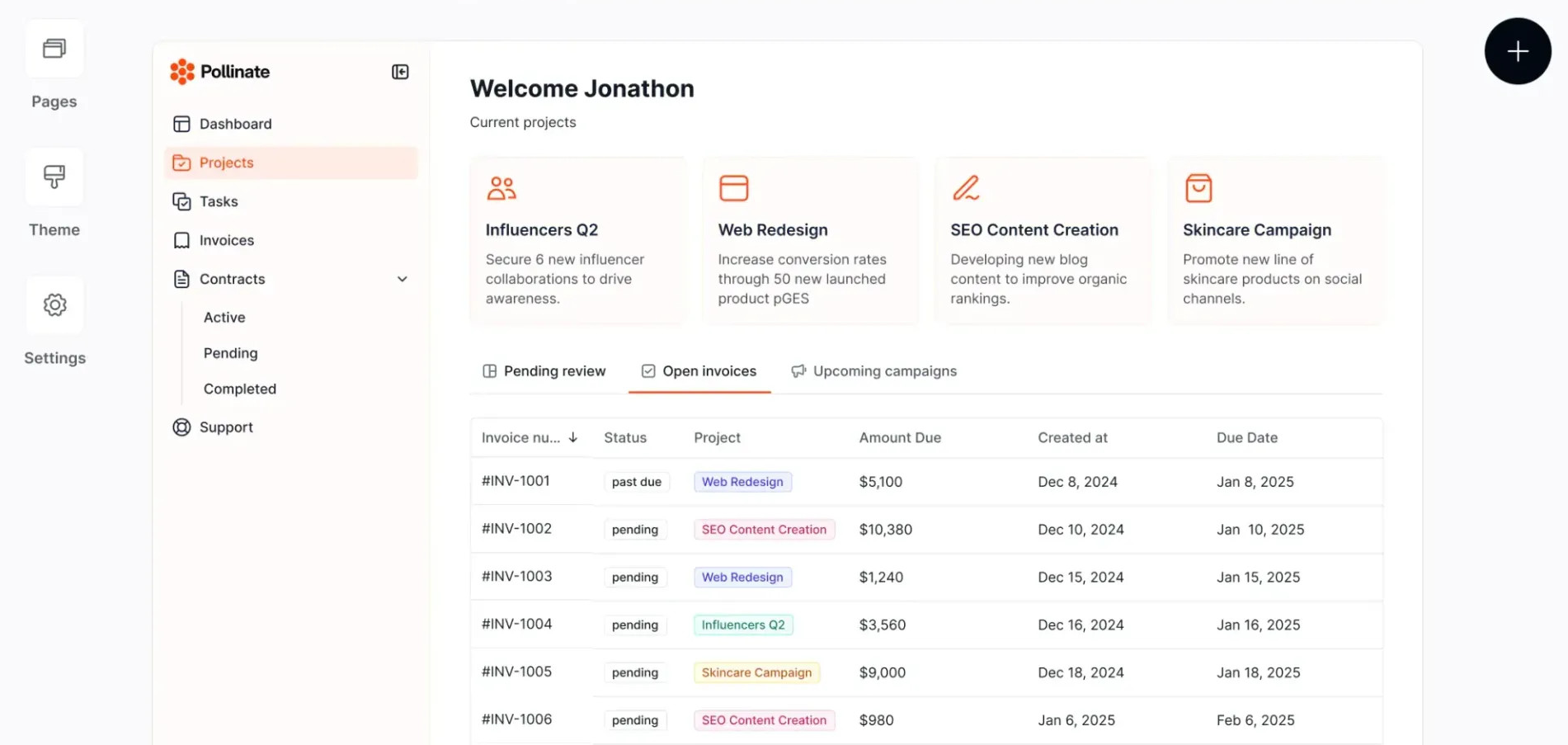
Softr is a no‑code platform that connects directly to your Airtable data. You can build websites, client portals, directories, and internal tools using drag‑and‑drop blocks. It's perfect for freelancers who want to offer client‑friendly interfaces without building from scratch.
Why Freelancers Use Softr
- Fast – Build a portal in a few hours instead of weeks.
- No code – Everything is visual.
- Client authentication – Secure login via email, Google, or magic link.
- Responsive design – Works on desktop and mobile.
- Free tier available – 1 app, 100 portal users, unlimited Airtable records.
Step‑by‑Step: Build a Client Portal
Goal: A portal where clients can log in and view their specific projects.
- Prepare your Airtable base – Create a "Projects" table with columns: Project Name, Status, Due Date, Client Email (text).
- Sign up for Softr – Start free →
- Create a new app – Choose "Portal" template or start blank.
- Connect Airtable – Authorise Softr to access your base.
- Design the homepage – Use blocks: Text, List, or Table to display projects.
- Set up user authentication – Enable login via email/password or Google. Create a test user.
- Add dynamic filtering – Configure the project list to show only records where "Client Email" matches the logged‑in user's email.
- Publish the portal – Softr gives you a free subdomain (yourapp.softr.app) or you can use a custom domain.
- Share the link – Clients can sign up or log in to see their projects.
More Use Cases for Freelancers
- Asset library – Share brand assets (logos, photos) with clients, organised by category.
- Job board – Turn an Airtable of job listings into a searchable public directory.
- Internal dashboard – Create a team dashboard to track tasks, leads, or inventory.
- Event calendar – Display events from Airtable in a calendar view.
Pricing & Limitations
- Free plan – 1 app, 100 portal users, 1,000 visits/month, Softr branding.
- Basic plan – $49/month (billed monthly) – remove branding, 2,000 portal users, custom domain.
- Professional plan – $99/month – more users, advanced features (forms, charts).
For most freelance projects, the free plan is enough to get started. Upgrade only when you need a custom domain or more users.
Softr vs Glide vs Bubble (Quick Comparison)
| Tool | Best for | Learning curve | Free tier |
|---|---|---|---|
| Softr | Client portals, directories, websites | Low | 1 app, 100 users |
| Glide | Mobile‑first apps | Low | 2 apps, 1,000 rows |
| Bubble | Full‑featured web apps | High | Limited (Bubble branding) |
Tips for Freelancers
- Use Airtable's linked records – Softr can display related data (e.g., client details with project list).
- Offer portal as an add‑on – Charge a setup fee + monthly maintenance.
- White‑label with paid plan – Remove Softr branding and use your own domain for a professional look.
- Combine with Zapier – Automate portal updates when Airtable changes.
Conclusion – A Quick Win for Your Clients
Softr allows you to deliver impressive, functional client portals in record time. It's an excellent service to offer as a freelancer – clients love transparency, and portals provide exactly that. Start with a simple example for a friend, then scale to paying clients.
Get started for free: Try Softr →