You've written a great blog post. Now you need to share it on Twitter, LinkedIn, Facebook, and maybe even Pinterest. Doing this manually for every post is time‑consuming. With Buffer and automation tools, you can schedule posts automatically whenever you publish new content.
How It Works
You'll connect your blog's RSS feed (WordPress, Medium, Ghost, or any static site generator that outputs RSS) to Buffer via Zapier or Make. Every time a new post is published, the automation will grab the title, link, and description – and send them to your Buffer queue for Twitter, LinkedIn, and Facebook.
What You'll Need (All Free Tiers)
- A blog with an RSS feed – e.g., WordPress (yoursite.com/feed/), Medium, or any static site.
- Buffer account – free plan includes 3 social channels, 10 scheduled posts per channel.
- Zapier or Make – to connect RSS to Buffer.
Step 1 – Prepare Your Buffer Account
- Sign up for a free Buffer account.
- Connect your social media profiles (Twitter, LinkedIn, Facebook page).
- Note that Buffer's free plan allows 10 posts per queue – enough for a few weeks.
Step 2 – Build the Automation (Using Zapier)
- Create a new Zap.
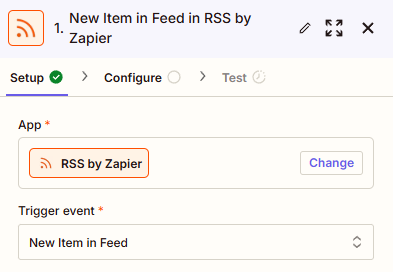
- Trigger: RSS by Zapier – "New feed item".
- Enter your blog's RSS feed URL (e.g.,
https://yourblog.com/feed/). - Test to see a sample post.
- Action: Buffer – "Create a post".
- Connect your Buffer account and select a profile (e.g., Twitter).
- Map the post text: e.g.,
[Title] – [Link]or include a brief description. - Add additional actions (Zap steps) for each social profile you want (LinkedIn, Facebook).
- Test and turn on the Zap.
Alternative: Using Make (Integromat)
Make's visual builder makes it easy to handle multiple social accounts in one scenario:
- Trigger: RSS – "Watch feed items".
- Add a router with three branches: one for Twitter, one for LinkedIn, one for Facebook.
- Each branch uses Buffer's "Create a post" module with text formatted for that platform (e.g., include hashtags on Twitter, longer description on LinkedIn).
Customization Ideas
- Include images – If your blog post has a featured image, you can include it in the Buffer post (requires paid Buffer plan).
- Add hashtags – Append a set of relevant hashtags to the Twitter post.
- Post at optimal times – Use Buffer's queue to spread posts throughout the week, or use Make's scheduling features.
- Repurpose old content – Create a separate Zap that shares older posts on a rotating schedule.
Pricing & Limitations
- Buffer free – 3 social channels, 10 scheduled posts per queue. Good for low‑volume bloggers.
- Zapier free – 100 tasks/month, 5 Zaps. Each social post counts as one task.
- Make free – 1,000 operations/month, 2 scenarios. Very generous for multiple social accounts.
Conclusion – Let Automation Handle Social Media Promotion
Once this automation is set up, every new blog post you publish will be automatically added to your social media queues. You can focus on writing, and Buffer will handle the rest.
Try the tools for free:
Buffer free →
Zapier free →
Make free →