As a freelancer, you need a central place to track clients, projects, deadlines, and invoices. Spreadsheets become messy, and full CRMs are often overkill. Airtable is the perfect middle ground: a relational database that looks like a spreadsheet.
In this tutorial, I'll show you how to set up a freelance‑friendly Airtable base, create linked tables, automate reminders, and share client portals – all without coding.
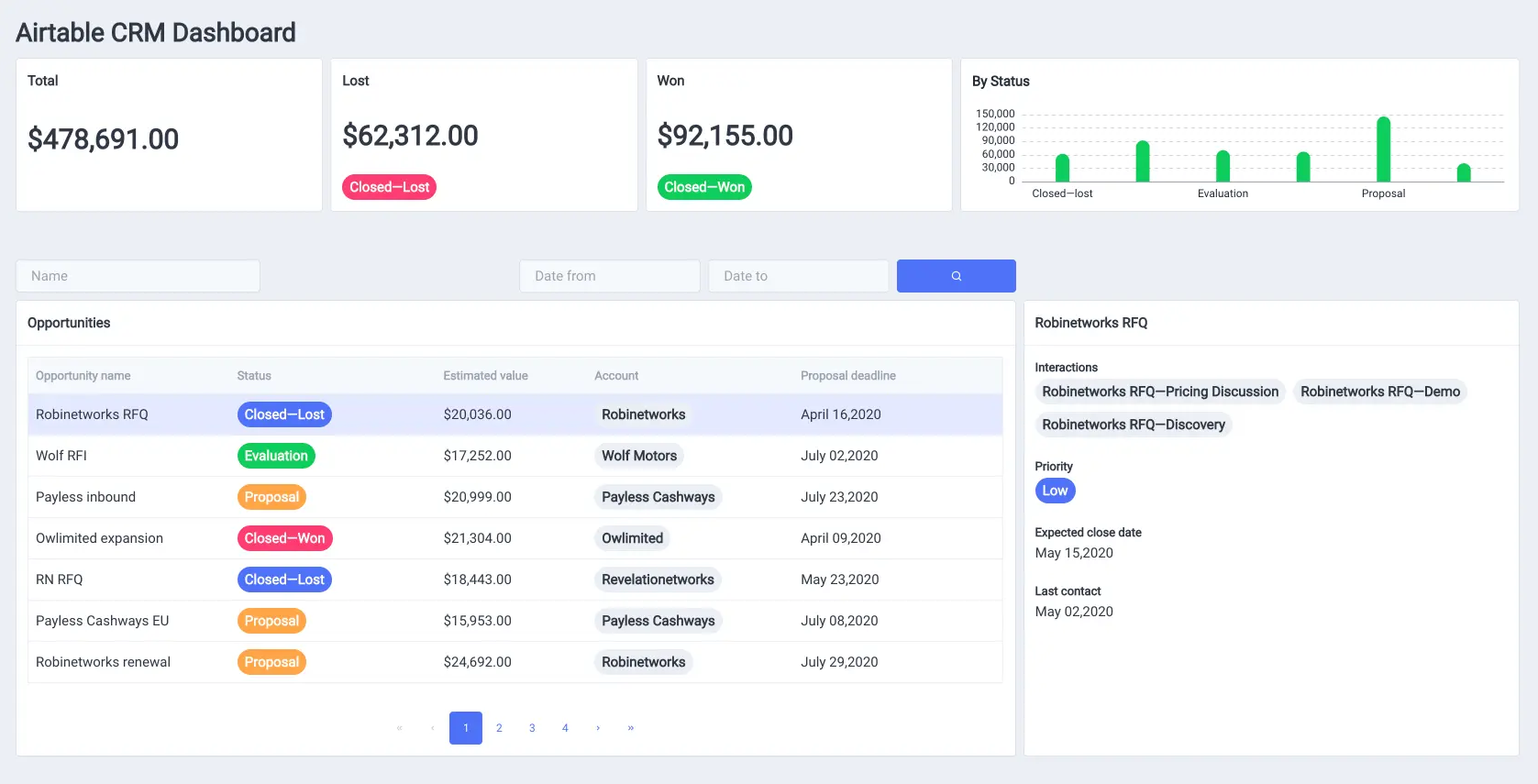
Why Airtable for Freelancers?
- Relational databases – Link clients to projects, projects to invoices.
- Multiple views – Grid, calendar, kanban, gallery, form – adapt to your workflow.
- Automations – Send emails, create tasks, or sync to Google Calendar automatically.
- Free tier – 1,200 records per base, 2GB attachment space – enough for most freelancers.
- Client portals – Use Softr or Pory to turn Airtable into a password‑protected client dashboard.
Step‑by‑Step: Build Your Freelance Hub
- Sign up for a free Airtable account – Create your account →
- Start with a template: search for "Freelance Client CRM" or create a blank base.
- Create your first table: "Clients". Add fields: Name, Email, Phone, Status (Lead, Active, Past).
- Create a second table: "Projects". Link it to Clients (each project belongs to a client). Add fields: Project Name, Deadline, Budget, Status (To do, In progress, Completed).
- Create a third table: "Invoices". Link to Projects. Add fields: Amount, Due Date, Paid (checkbox).
- Add sample data and test different views (Kanban for projects, Calendar for deadlines).
Automations That Save You Time
| Trigger | Action | Use case |
|---|---|---|
| When a project status changes to "Completed" | Send an email to client requesting feedback | Automate follow‑ups |
| When an invoice is marked as "Paid" | Move related project to "Done" and log payment date | Keep finances organized |
| When a new client is added | Create a welcome task in a connected project management tool (via Zapier) | Streamline onboarding |
Pricing: Free vs Paid Plans
Airtable's free plan gives you unlimited bases, 1,200 records per base, and 2GB of attachment space. For most freelancers, that's enough. The Pro plan ($20/seat/month) adds advanced features like custom branding, password‑protected sharing, and more automation runs.
Advanced Tips
- Use formulas – Automatically calculate project totals, days until deadline, or concatenate client names.
- Share a view as a form – Let clients submit updates without seeing your full base.
- Integrate with Zapier/Make – Connect Airtable to your calendar, invoicing tool, or Slack.
- Sync with Google Calendar – Turn task due dates into calendar events automatically.
Real Example: Freelance Designer Workflow
A freelance designer tracks:
- Clients – Name, email, contract signed (checkbox).
- Projects – Logo design, website redesign, linked to client.
- Milestones – Research, drafts, revisions, final delivery.
- Invoices – Linked to projects, due dates, paid status.
Using Airtable's calendar view, she sees all deadlines. When a milestone is marked "Completed", an automation sends a notification to her Slack. When an invoice is paid, she marks it and the project status becomes "Closed".
Conclusion – Start Centralizing Your Freelance Business
Airtable is a game‑changer for freelancers who have outgrown spreadsheets but don't need complex CRM software. With a few hours of setup, you'll have a clean, relational database that saves you time and reduces errors.
Get started for free: Try Airtable →